Payment Gateway Settings
Payment Gateway Settings
The Payment Setting tab allows administrators to integrate and configure third-party payment providers (like PayPal, Stripe, etc.) within StackConsole. This setup enables secure and automated handling of customer payments for services offered through the platform.
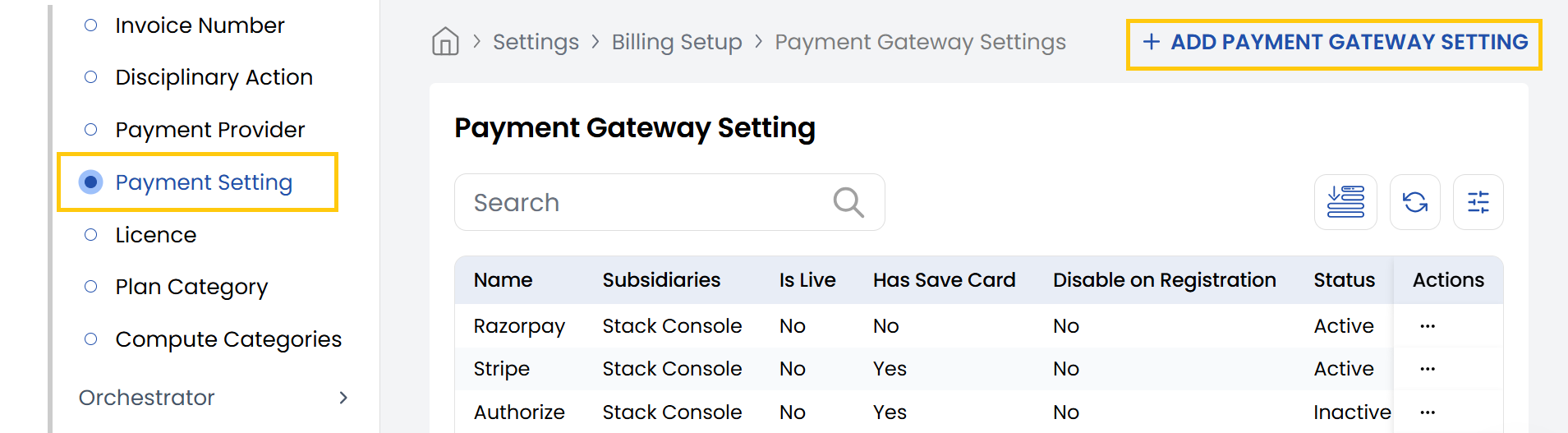
- From the left-hand side of the page under the Billing Setup section, click on Payment Setting to view the list of payment gateway providers.
- To create a new payment gateway, click on Add Payment Gateway Setting.
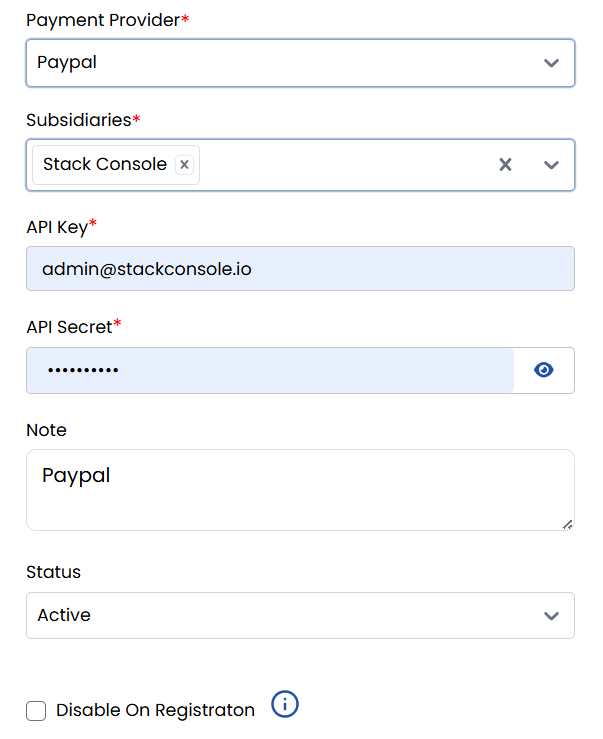
- Payment Provider: Select a provider (e.g., PayPal).
- Subsidiaries: Choose the relevant subsidiary.
- API Key: Enter the API Key.
- API Secret: Enter the secret/token.
- Note (Optional): Add internal remarks (e.g., "Primary PayPal gateway").
- Status: Set to Active or Inactive.
- Disable On Registration: This will prevent the payment gateway from being used during registration.
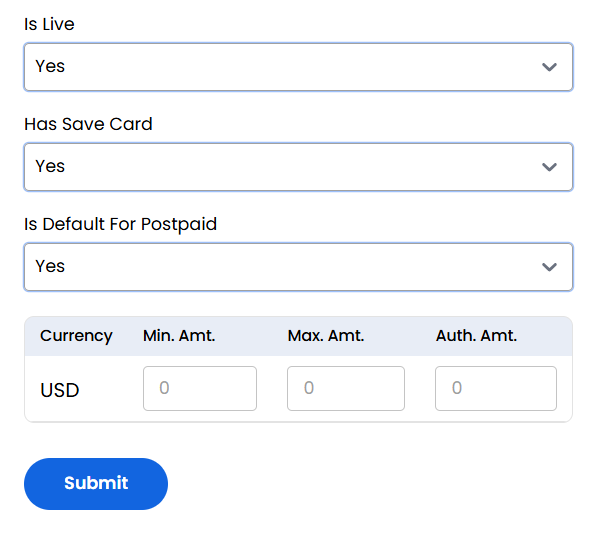
- Is Live: Select Yes/No for live production.
- Has Save Card: Select Yes to allow card saving.
- Is Default For Postpaid: Select Yes to make it default for postpaid customers.
- Add configuration for supported currencies (e.g., USD):
- Min. Amt.: Enter minimum transaction amount.
- Max. Amt.: Enter maximum transaction amount.
- Auth. Amt.: Enter authorization hold amount.
- Click the Submit button to save the payment gateway settings for the provider.
Conclusion
The Payment Gateway Settings section provides complete control over payment processing integrations. For gateway configuration assistance, contact Stack Console support.